What is electromagnetic interference EMI
EMI is unwanted electromagnetic energy that disrupts the normal operation of a circuit or device. It can cause noise, data errors, dropouts, resets, or permanent damage in severe cases.
Common sources of EMI
- Industrial motor drives, welders, large power converters, and long cable runs in industrial environments
- Household electronics cell phones, WiFi routers, microwave ovens, switching power adapters, LED dimmers, and smart devices
- Natural events lightning strikes and solar storms
Effects on devices and effects on human health
On devices, EMI can create audible buzz, video snow, data loss, crashes, or erratic behavior. Impact depends on the source strength, frequency, and the device design.
On human health, research is ongoing. Follow local guidelines and product standards. Choose devices that meet electromagnetic compatibility EMC standards.
| Category | Typical sources | Typical settings | Relative risk | First steps to mitigate |
|---|---|---|---|---|
| Industrial | Motor drives, welders, power converters, long cable runs | Factories, plants, data centers | High | Shield enclosures, bond and ground, separate power and control, add line filters |
| Household electronics | Cell phones, WiFi routers, microwave ovens, switching adapters, LED dimmers | Homes and small offices | Low to moderate | Increase distance, tidy cabling, add ferrite beads, manage WiFi channels |
| Natural events | Lightning, solar storms | Outdoors and buildings near power routes | Burst risk can be very high during an event | Use surge protection, maintain bonding and grounding, protect long cables |
Assess your EMI exposure
Tools for measurement
Disclosure The product links below are affiliate links. As an Amazon Associate we may earn from qualifying purchases at no extra cost to you.
Basic EMF meters read field strength over limited ranges and are fine for home mapping and quick comparisons.
Advanced spectrum analyzers show frequency content and help pinpoint specific emitters. They require more knowledge and are common in RF engineering.
Guidance A basic EMF meter is enough for locating hot spots at home and for simple A or B tests. For critical work communications, safety systems, or if the issue persists, seek a qualified technician who can measure with the right probes and analyzers.
Find high risk areas
- Clusters of electronics on one desk or shelf
- Areas near power panels, long cable bundles, or large appliances
- Router or access point placed right next to sensitive audio or measurement gear
Reduce EMI in industrial settings
Shielding techniques
Use conductive or magnetic enclosures for noisy equipment. Seal seams and doors with conductive gasketing. Choose materials to match the dominant frequency. Copper and aluminum work well at higher frequencies. Steel helps for lower frequency magnetic fields if designed with care.
Proper grounding and bonding
Provide a low impedance path for fault and noise currents. Keep bonds short, wide, and clean. Verify a single point ground or a clear bonding plan to avoid loops. See the basics of grounded versus ungrounded equipment here: ungrounded surge protectors.
Cables and wiring
Twisted pair
Twisting cancels common mode pickup for balanced signals. Use for data and control lines where possible. Maintain twist up to terminations.
Shielded cables
Use shielded power and signal cables in noisy zones. Ground the shield per device guidance. Route high current cables away from sensitive signals and cross at right angles when they must meet.
Solutions for reducing EMI at home
Choose EMI resistant devices
Look for devices that state compliance with EMC standards. Examples include FCC for the United States, CE marking with the EMC directive in the EU, and CISPR emissions and immunity statements. These markings indicate the device was tested for emissions and immunity.
Use ferrite beads and simple filters
Clamp on ferrite cores can reduce high frequency noise on power, USB, and signal cables. They are quick to try and reversible. Example product: Ferrite bead clamps.
Advanced options
Shielding paint can reduce strong external fields but it often needs proper grounding and can degrade wireless service. Treat it as a last resort and get professional advice before you apply it, especially in rooms that need WiFi.
| Symptom or scenario | Likely cause | What to try | Tools or parts |
|---|---|---|---|
| Speaker buzz when a phone or charger is nearby | Nearby RF or ground loop | Increase distance, separate power and audio, add ferrite on audio or USB | Ferrite bead clamps |
| Video snow or sparkles on HDMI | Noise pickup or marginal link | Use a shorter quality shielded cable, avoid tight parallel runs with power, add ferrite | Shielded HDMI cable, ferrite clamp |
| WiFi dropouts near the kitchen | Microwave oven noise at 2.4 GHz | Move router to a central open spot, switch bands, increase distance from the oven | Basic EMF meter for mapping helps, see also microwaves |
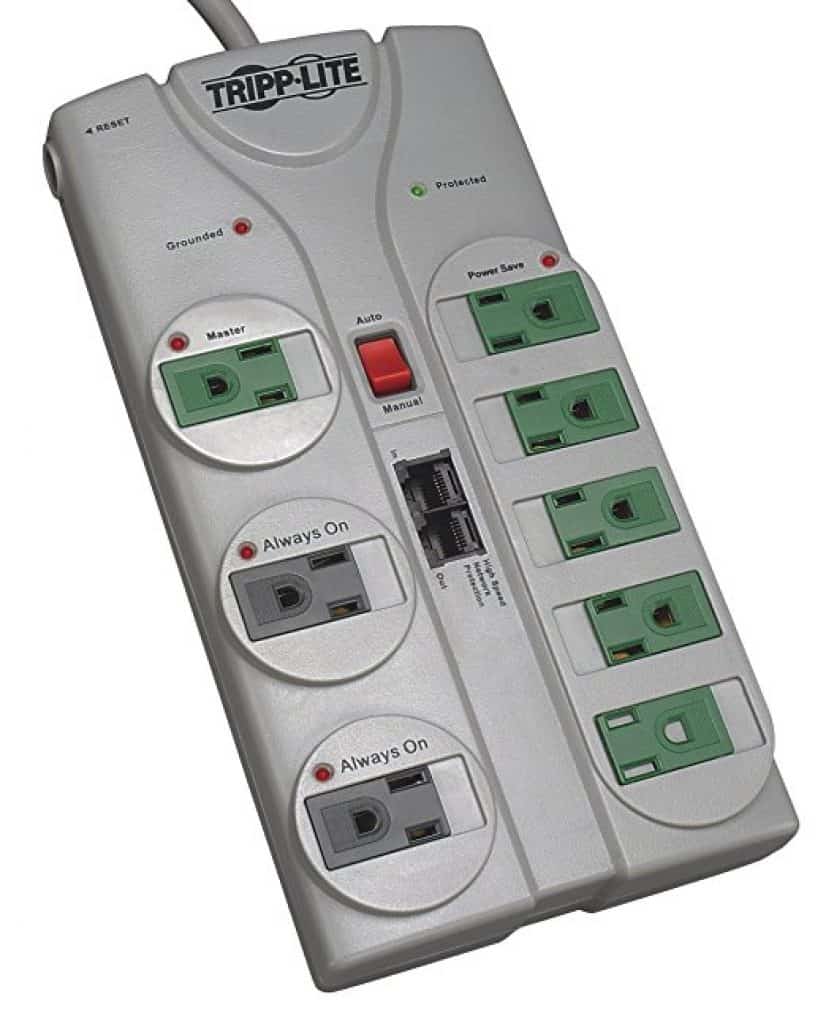
| Random resets on smart plugs or bulbs | Power supply noise or dips | Try a different outlet circuit, avoid cheap splitters, use a quality surge protector | See whole house protection |
| Noisy USB microphone | Common mode noise on the cable | Add ferrite on the USB cable, try another USB port, keep away from power bricks | Ferrite bead clamps |
Quick checklists
For home users
- Place the WiFi router in a central open spot away from bedrooms and from audio gear
- Separate power cables and signal cables where practical
- Use clamp on ferrite beads on noisy USB, HDMI, and audio if you hear buzz or see video snow
- Keep chargers and power bricks in good condition and replace damaged ones
- Service or replace older appliances that behave erratically. See help for refrigerators and smart TV power
For industrial readers
- Verify a single point ground or bonding plan and keep bonds short and wide
- Use shielded enclosures or gasketing on noisy cabinets and maintain paint free contact points
- Route high current cables away from sensitive signals and cross at right angles
- Document cable types and termination rules for twisted pair and shields
- Apply line filters at noisy drives and maintain separation in trays and conduits
Standards and next steps
When you buy new gear, look for EMC compliance marks. In the United States look for FCC statements. In the EU look for CE marking with EMC compliance. You may also see CISPR test references. These give confidence that the device was evaluated for emissions and immunity.
For stronger protection of major appliances and the entire panel consider whole home protection. See: 5 Best Whole House Surge Protection Devices Reviewed.
Start with the basics. Increase distance, tidy and separate cables, add ferrite where it helps, and place your WiFi router well. In industrial settings combine shielding, grounding, and smart cabling. Measure when you can, and call a technician for persistent or critical issues. These steps reduce noise, improve reliability, and extend device life.