Tired of the cord spaghetti under your desk? You are not alone. Power strips sliding around. Cables snagging your feet. Landlords who say no holes allowed. It can be a mess.
Good news.
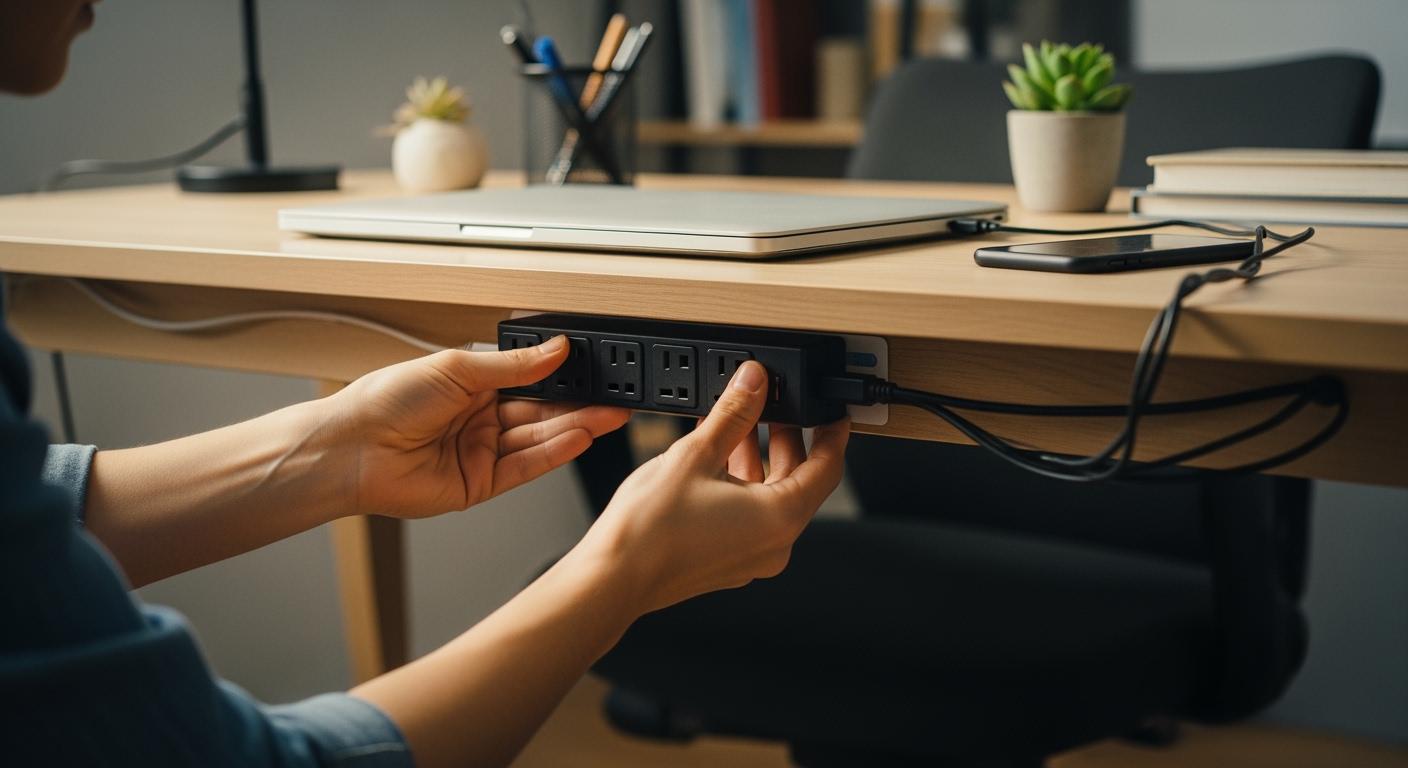
You can mount your surge protector under the desk without touching a drill. It takes a few minutes. It looks clean. And it keeps plugs easy to reach. From strong adhesive and Velcro to simple clamp trays, there is a neat fix for every desk and every budget.
Check out options like the Vivo Clamp-on Power Strip Tray or PAMO power strip and cable trays, which clamp under your desk and hold plenty of weight.
Let’s look at the best no-drill methods next.
How to Mount Surge Protector Under Desk: No-Drill Methods
You have several smart options when you want to know how to mount surge protector under desk without drilling. Let’s break down the most popular no-drill methods so you can pick what works best for your space.
Adhesive Strips and Velcro Mounting
If you want a quick way to mount a power strip, adhesive strips and Velcro are your friends. You just peel, stick, and press. This method works well for lightweight surge protectors. It’s perfect if you want to know how to mount one under desk in a rental or dorm room.
|
Mounting Method |
Advantages |
Disadvantages |
|---|---|---|
|
Adhesive Strips |
No drilling, easy to install |
Hard to move, may leave residue |
|
Velcro |
Simple to remove and adjust |
Not as strong as adhesive strips |
Tip: Clean the surface before you mount a power strip for the best hold.
Clamp Mounts and Cable Trays
Clamp mounts and cable trays give you a sturdy way to mount a power strip. You can use these if you have a heavier surge protector or lots of cords. Clamp mounts work on most desks and don’t damage the surface.
If you want to know how to mount for long-term use, clamp mounts are a great pick. Products like the Fully Clamp-Mounted Surge Protector fit most desks and keep everything tidy.
Keyhole Slots and Alternative Options
Some surge protectors have keyhole slots on the back. You can use strong adhesive hooks or clips to mount a power strip this way. Other creative options include fabric cable sleeves, magnetic cable clips for metal desks, or even hiding cords in baskets.
Now you know some no drill methods, let’s move on to the step-by-step guide!
Step-by-Step Guide: Mounting Your Power Strip
Ready to get started? This step-by-step guide will walk you through how to mount a power strip under your desk without drilling. You’ll find tips for every method, from adhesive strips to clamp trays. Let’s make your desk cable-friendly and keep your workspace tidy.
Choose the Best Location
Picking the right location is the first step in mounting your power strip. Good power strip placement makes under-desk cable management easier and keeps your cords out of sight.
-
Place the surge protector under the desk for easy access and to minimize cable length.
-
For standing desks, mount a power strip where it won’t get tugged when you raise or lower the desk.
-
Keep the power strip close to your devices, but away from your feet to avoid accidental kicks.
-
You can also mount a power strip on the wall behind the desk if you want it even more hidden.
Tip: The ideal location helps you reach the outlets easily and keeps cables organized. This reduces clutter and prevents tripping hazards.
Prepare the Surface
A clean surface is key for secure mounting, especially if you use adhesive or Velcro. Here’s how to prep your desk:
-
Wipe the area with a soft, lint-free cloth to remove dust.
-
For sticky spots or grease, use a 50:50 mix of isopropyl alcohol and water. For heavy grease, start with a degreaser, then wipe with alcohol.
-
Let the surface dry completely before you continue.
Note: If you want the strongest bond, lightly scuff the area with fine sandpaper before cleaning. This helps the adhesive grip better.
Attach and Secure the Power Strip
Now it’s time to mount a power strip. The installation steps depend on your chosen method:
Adhesive Strips
-
Mark where you want to attach the power strip.
-
Stick the adhesive strips or mounting tape to the back of the power strip.
-
Peel off the backing and press the power strip firmly onto the prepared surface for 30 seconds.
-
Wait at least a few hours (or overnight) before plugging in heavy devices.
Velcro Strips
-
Cut Velcro strips to fit the back of the power strip.
-
Stick one side of the Velcro to the power strip and the other to the desk.
-
Press both sides together for a strong hold.
Clamp Mounts and Cable Trays
-
Position the clamp tray or mount where you want it under the desk.
-
Tighten the clamps until the tray feels secure.
-
Place the surge protector inside the tray and organize your cables.
Keyhole Slots with Hooks
-
Attach strong adhesive hooks or clips to the desk, matching the keyhole slots on your surge protector.
-
Slide the surge protector onto the hooks for a snug fit.
|
Mounting Method |
Install Time |
Best For |
|---|---|---|
|
Adhesive Strips |
5 minutes |
Quick installations |
|
Velcro Strips |
5 minutes |
Removable setups |
|
Clamp Trays |
10 minutes |
Heavy surge protectors |
|
Cable Boxes |
5 minutes |
Power strip protection |
Always test the mount by gently tugging on the power strip before plugging in your devices.
Under Desk Cable Management Tips
Great under desk cable management keeps your workspace neat and safe. Here are some best practices:
-
Bundle cords together with wire organizers or cable sleeves.
-
Use cable organizer boxes to hide extra cord length.
-
Route only one main wire to the wall outlet to reduce clutter.
-
Make sure the surge protector is easy to reach whether you’re sitting or standing.
-
Hide the surge protector behind the desktop for a cleaner look.
Try desktop cord organizers for devices you plug in and out often.
Safety and Removal Advice
Is it safe to mount a power strip under your desk? Yes, if you follow these safety tips:
-
Make sure the surge protector has good airflow to prevent overheating.
-
Don’t use it in damp areas like kitchens or bathrooms.
-
Never daisy-chain multiple power strips together.
-
Use strips with built-in circuit breakers for extra safety.
-
Avoid stapling, nailing, or drilling into the power strip.
When you want to remove the surge protector, do it gently:
-
For adhesive or Velcro, peel the strip off slowly to avoid damaging your desk.
-
If any residue remains, clean it with isopropyl alcohol and a soft cloth.
-
For clamp trays, just loosen the clamps and slide the tray off.
Regularly check your setup to make sure everything stays secure and safe to mount a power strip for the long term.
With these steps, you can finish mounting your power strip quickly and safely. This step-by-step guide helps you create a tidy, cable-friendly workspace without drilling or damage.
Here’s a quick look at the benefits:
|
Benefit |
Description |
|---|---|
|
Easy to Use |
Quick setup with no tools needed |
|
Organization |
Keeps your workspace neat and clutter-free |
|
Safety |
Reduces tripping hazards and protects devices |
Pick the method that fits your desk. Check your setup every few months.
Tidy cables make your space safer and easier to use.
FAQ
Before you wrap up, you might have a few questions. Here are some quick answers to help you out:
Can I mount any surge protector with adhesive strips?
You can mount most lightweight surge protectors with adhesive strips. Heavy or large models need clamp mounts or trays for safety.
Will mounting a surge protector under my desk cause overheating?
No, as long as you leave space for airflow. Avoid covering vents or placing the strip near heat sources.
How do I remove sticky residue left by adhesive strips?
Use isopropyl alcohol and a soft cloth. Rub gently until the residue comes off. This keeps your desk clean and damage-free.